
Team seats and the seat picker
Seats are the one capped thing on every plan — Workflows, connected accounts, and client workspaces are all unlimited, but the number of people is fixed per tier. This page covers the ceiling, what a downgrade does to the people over it, and how nobody’s work is ever deleted along the way.
Seats per plan
Section titled “Seats per plan”| Plan | Seats | Notes |
|---|---|---|
| Base | 1 | Just you — Base is a single-owner plan with no team features |
| Pro | 5 | Team workspaces included |
| Premium | 15 | Everything in Pro |
Seat counts include the owner: a Pro team is you plus four others. Seats are not purchasable individually — a sixth seat means Premium.
The ceiling: invitations refuse when full
Section titled “The ceiling: invitations refuse when full”When every seat is taken, sending another invitation is refused with a clear seat-ceiling message — not a vague failure. The refusal is enforced server-side, so there is no way around it from the UI. Your options at the ceiling are: remove a member, revoke a pending invitation, or upgrade.
What a downgrade does
Section titled “What a downgrade does”The rule everywhere: a downgrade pauses people, it never deletes them. A paused member’s row, role, join date, and every workspace grant stay exactly as they were, so restoring them later is one step with nothing to re-invite or rebuild.
- Moving to Base is refused while anyone but you holds a seat (or while webhook endpoints are enabled — see Webhooks by plan). The refusal names what stands in the way — for example: “Base cannot carry what this account is using: 4 team seats are in use (Base includes one seat — your own). Remove them first, then switch to Base.” Suspended members deliberately do not block the move: their seat is already not covered, and demanding they be removed first would destroy exactly what pausing exists to preserve.
- Moving from Premium to Pro goes through, and the members the new plan cannot cover are paused automatically — by default, the longest-tenured active members keep the seats. The owner then chooses who actually stays via the seat picker.

The seat picker: choose who keeps a seat
Section titled “The seat picker: choose who keeps a seat”The seat picker is the dialog titled “Choose who keeps a seat”, and it is the product’s only unsuspend surface besides upgrading. Its rule is stated right at the top: “Everyone you tick keeps their access. Everyone you untick is paused — they keep their role, their history and their workspace access, and get it all back the moment a seat frees up.”
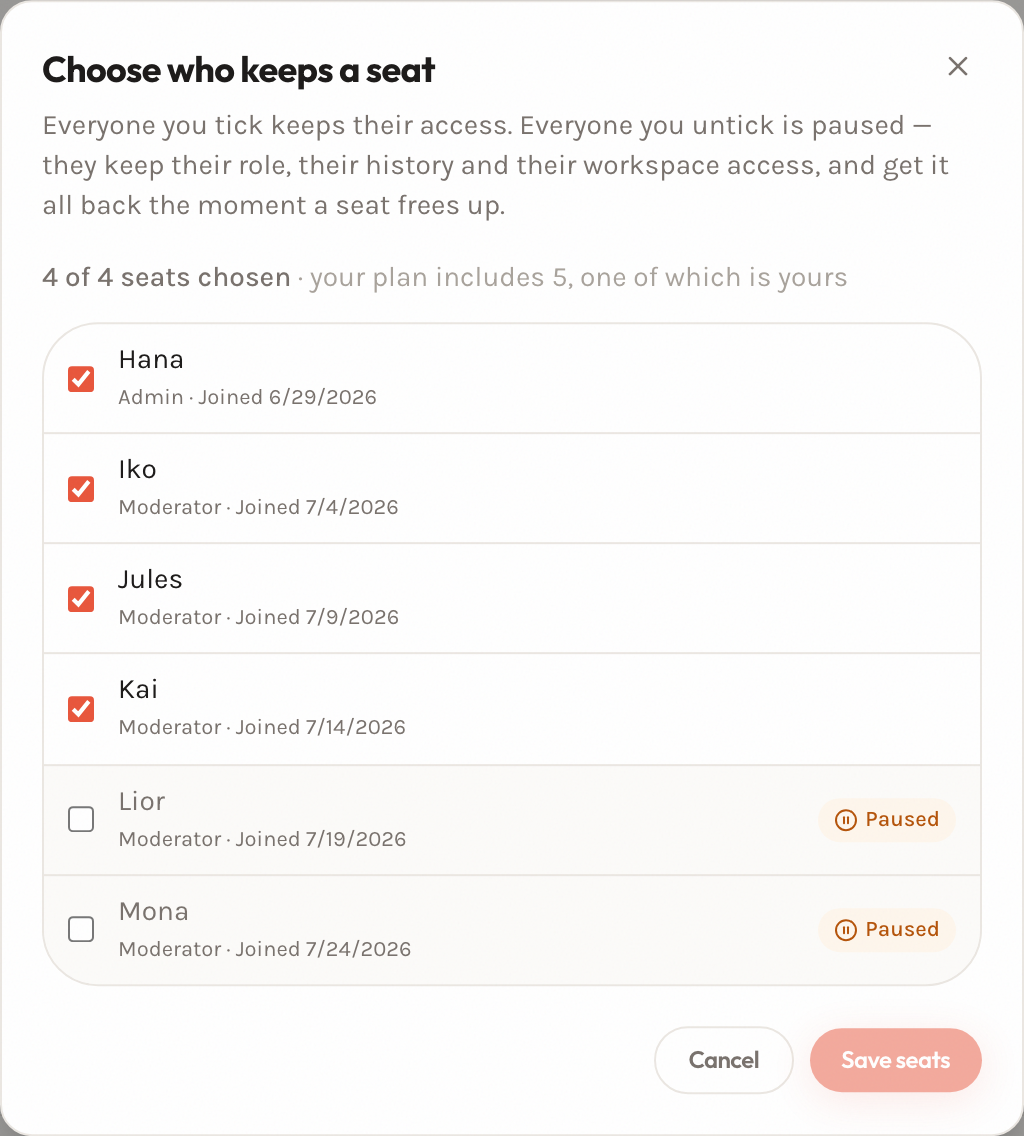
How it behaves:
- The checkbox state is the request. Everybody ticked ends up active and everybody unticked ends up paused, saved in one transaction. That makes swapping a paused member for an active one a single tick-and-untick — something a per-person “unsuspend” button could never do at a full ceiling without removing somebody first.
- The count is live: “3 of 5 seats chosen · your plan includes 5, one of which is yours”. Tick more people than your plan seats and the count turns red, an explanation appears (“That is 1 more than your plan seats. Untick someone, or upgrade.”), and Save seats refuses. Unticked rows are never disabled — otherwise the swap would be impossible.
- Currently paused members carry a “Paused” chip, with their role and join date preserved and visible.
- The ceiling is re-checked on the server when you save, using the same arithmetic as the invitation form.
What a paused member sees
Section titled “What a paused member sees”A paused member does not get a cryptic error or a vanished workspace. In place of the team workspace they see a dedicated screen:
Your access to Team is paused
Team’s plan no longer covers your seat, so this workspace is on hold. You have not been removed from the team.
Ask Team’s billing owner to upgrade the plan — your access comes back in one step, with nothing to re-invite or rebuild.
Your role, your workspace access and all history are kept exactly as they were.
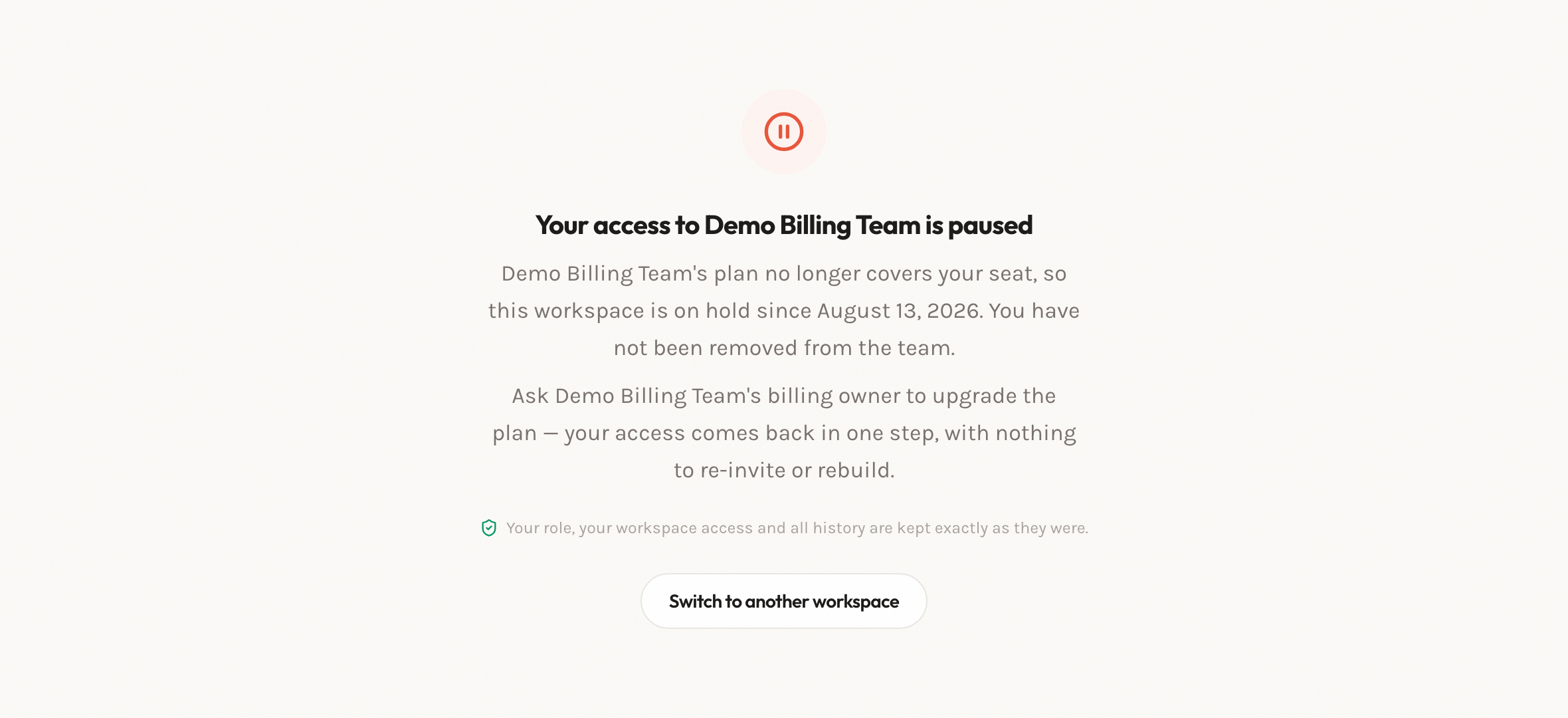
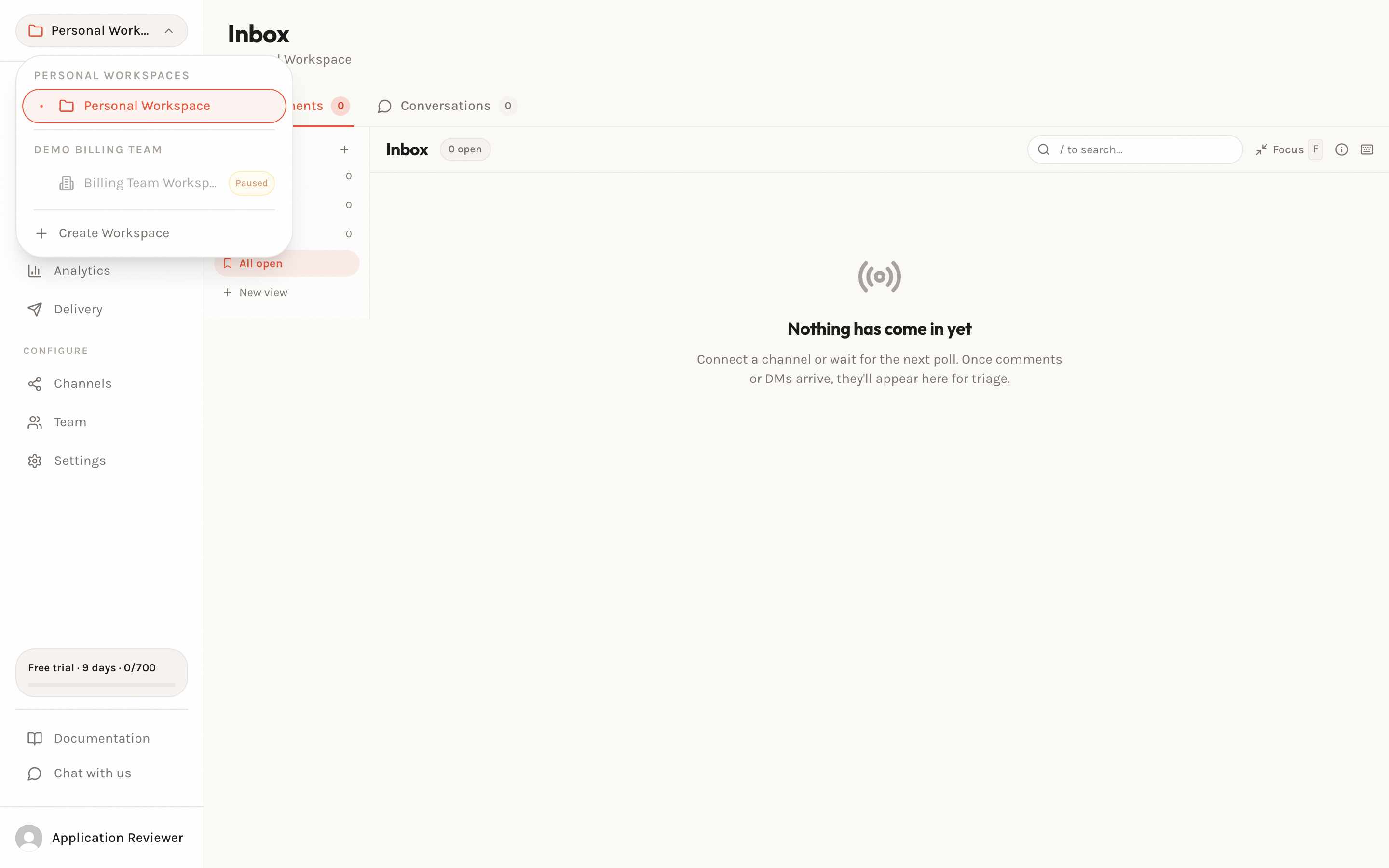
They can still switch to any other workspace they belong to — personal workspaces and other teams are unaffected.
Recovery
Section titled “Recovery”Two ways back, both instant:
- Upgrade the plan. Re-upgrading restores paused members in one step — role, workspace access, and history intact, nothing to re-invite.
- Swap within the current plan. Open the seat picker, untick someone active, tick someone paused, save. The freed seat transfers immediately.
Related
Section titled “Related”- How automation billing works — plans, prices, and the allowance
- Extra usage and spend caps — the other thing only the billing owner controls
- What happens when processing pauses
- Webhooks by plan, and the downgrade grace — the other downgrade blocker